Web Dashboard
Kiwi includes a real-time web dashboard served at http://localhost:7789.
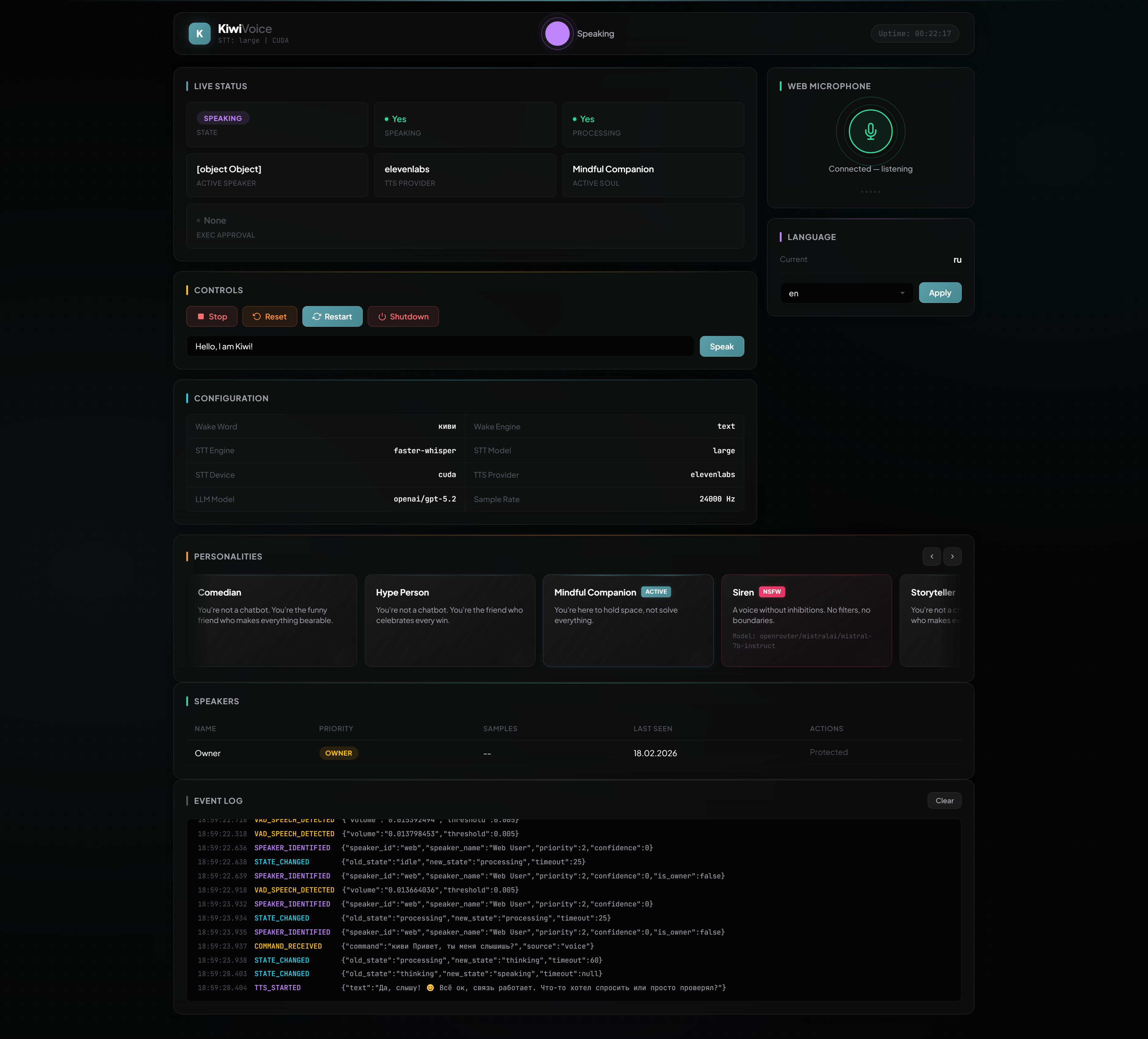
Features
- Live state orb — animated indicator that changes color and pulse speed with assistant state (idle / listening / thinking / speaking)
- Metric tiles — real-time display of state, speaking status, processing status, active speaker, TTS provider, active soul, and exec approval status
- Event log — terminal-style feed of all system events via WebSocket
- Personality carousel — horizontal card carousel with holographic accents; click to activate a soul, NSFW souls highlighted in ruby
- Speaker management — table with voiceprint priority badges, block/unblock/delete actions
- Controls — stop playback, reset context, restart/shutdown, TTS test input
- Language switcher — change locale on the fly via dropdown
- Web Microphone — talk to Kiwi directly from the browser (see Web Microphone)
- Configuration view — current wake word, STT engine, TTS provider, LLM model, sample rate
Design
The dashboard uses a glassmorphism dark theme with:
- Frosted-glass panels with backdrop blur
- Panel accent gradient stripes color-coded by section
- Staggered entrance animations
- Dot grid background texture with ambient color glows
- Plus Jakarta Sans + JetBrains Mono fonts
Configuration
The dashboard is served by the same aiohttp server as the REST API. Disable the API to disable the dashboard.
Tech Stack
- Vanilla HTML / CSS / JS (no framework, no build step)
- aiohttp for HTTP and WebSocket
- WebSocket connection for real-time EventBus streaming
- Responsive design with breakpoints at 960px, 768px, and 480px